
InboxCloudBlast is an all-in-one email marketing platform designed for businesses, creators, and marketers. It helps you engage customers, promote your brand, and nurture leads with ease. With lightning-fast delivery and advanced analytics, InboxCloudBlast ensures your messages reach your audience instantly, while providing real-time insights on open rates, click-throughs, and engagement. Its user-friendly interface and customizable templates make creating stunning emails simple, while smart automation and advanced segmentation allow you to send personalized messages to the right people at the right time. InboxCloudBlast eliminates complicated setups and slow delivery, bringing next-gen email marketing to your fingertips, whether you're a small business or a large enterprise.
Want to see InboxCloudBlast in action? Experience our futuristic email blaster with real-time features and stunning design.
View Live PreviewWe blend speed, security, and sleek design to give you a cloud-based email tool that looks as powerful as it performs. With futuristic UI, smart automation, and next-gen analytics, it's built for the brands of tomorrow.
Own the powerful email marketing platform that's optimized for efficient email batch sending and management. InboxCloudBlast offers a reliable and feature-rich solution for your business’s email marketing needs. Get full access to the platform, its features, and updates by purchasing InboxCloudBlast now.
Whether you're an individual or a business, you can get full access and start using the platform today!
Buy Now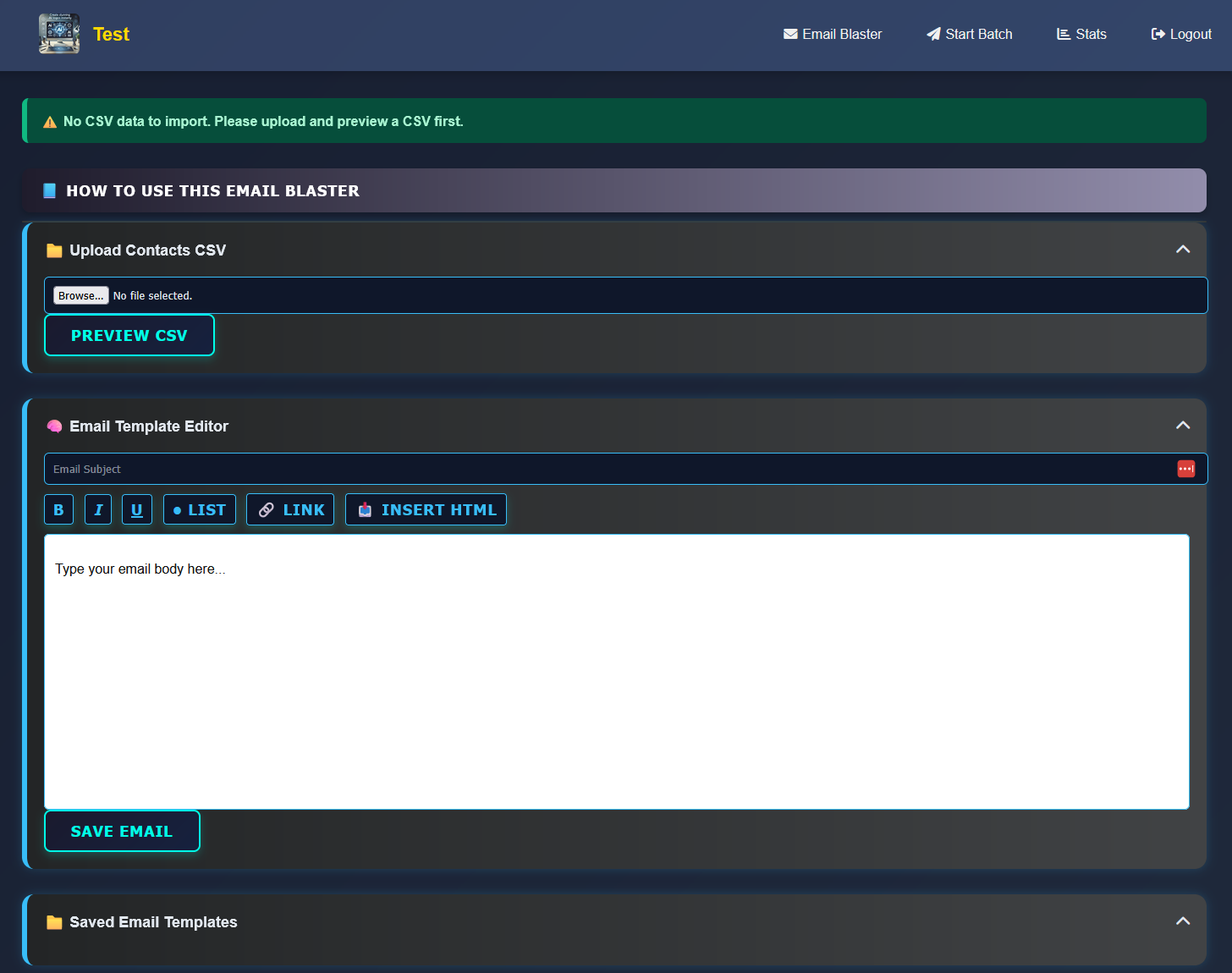
Yes! Simply open start_batch.php and change the line:$dailyLimit = 500; to any value you want.
Absolutely. You can use any SMTP provider like Gmail, Brevo, SMTP2Go, SendGrid, Mailgun, Amazon SES, and more. Just configure your credentials in the start_batch.php or config.php file.
Just upload the folder to your hosting server (like HostGator or Namecheap), visit /install.php, and follow the prompts to connect your database. Make sure file permissions are correct.
A basic shared hosting account works fine. InboxCloudBlast is built using PHP and MySQL. Make sure PHP 7.4+ and mysqli are enabled.
Set the /uploads and /logs folders to 755 or 775 for file uploads and logs to work properly. Make sure PHP has permission to write.